
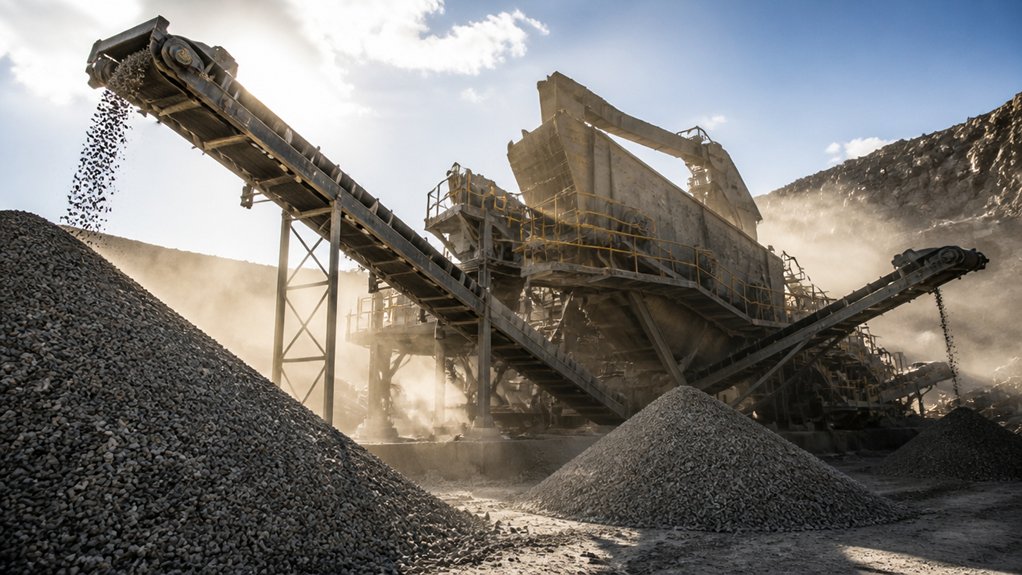
Modern screening plants increase aggregate production by removing bottlenecks and matching screen capacity to peak feed rates. You can improve separation by selecting suitable media and deck apertures for your material, while steady feeders and automated controls help prevent surges, blinding, and uneven loading. Routine inspections and accessible maintenance reduce downtime, and regular checks of tonnage, gradation, and oversize carryover reveal waste. The sections below explain how to apply these steps to your site and production goals.
Identify the Bottlenecks Limiting Screen Output

Where does screen output fall short? Start by tracing the process from feed delivery to each discharge point. Uneven loading, surges, or poor distribution can overload one section of the deck while leaving another underused.
Check for blinding, pegging, worn media, and incorrect aperture selection; each reduces open area and limits material segregation. Inspect screen motion, stroke, and speed against the machine’s operating requirements.
Excessive bed depth or moisture can also prevent particles from reaching the deck and passing through. Compare feed and product samples to identify misplaced material, then measure screen efficiency rather than relying on appearance.
Review chute buildup, blocked outlets, and recirculating loads for hidden restrictions. Correct the specific constraint, then verify results with consistent operating data before changing other settings.
Size Screening Plants to Match Feed Rates
Measure your incoming feed rates under normal operating conditions, including material variability.
Match screen capacity to the measured tonnage and required separation efficiency.
Allow for peak loads so surges don’t overload the deck or disrupt production.
Measure Incoming Feed Rates
Before sizing a screening plant, determine how much material the feed system delivers over time. Measure the incoming flow during representative operating conditions, including changes in loader cycles, material moisture, and feed consistency. A single spot measurement won’t capture normal variation, so record rates across multiple intervals and shifts.
Use a belt scale, weigh feeder, or timed load-and-weigh method to quantify throughput. Verify readings through equipment calibration, and compare measurements with production records to identify errors or irregular patterns.
Note whether surges, interruptions, or uneven loading affect the measured rate; these conditions can distort averages and limit reliable planning.
Accurate data supports feed rate optimization by showing what the plant actually receives, not what operators expect it to receive. Keep measurement methods consistent, document conditions, and update records when feed sources or operating practices change.
Match Screen Capacity
Once you’ve measured incoming feed rates, select screens that can handle the sustained throughput and peak surges without overloading. Compare each unit’s rated capacity with your actual tonnage, material density, and required product sizes. A screen’s nameplate rating alone won’t confirm that it can meet your production target; verify performance under conditions similar to your operation.
Match deck area, opening size, and screen motion to the feed characteristics and separation duty. Fine cuts, wet material, or a high proportion of near-size particles can reduce Screen efficiency, so allow for these effects when sizing equipment. Check that the selected screen can maintain the required cut quality at your normal feed rate.
Proper capacity optimization supports steady material flow, reduces recirculation, and helps you avoid bottlenecks. Confirm the design with supplier data and operating trials before finalizing your plant layout.
Allow for Peak Loads
Even a correctly rated screen can fall behind when feed rates surge above their normal operating level. Size your screening plant for the highest sustained feed rate, not just the average. A Peak load can overwhelm the deck, reduce separation accuracy, and send undersized material into the oversize stream. Check feed records for seasonal increases, surge-bin releases, and upstream equipment cycles.
Then confirm the screen’s effective area, stroke, and media can handle those conditions without blinding or excessive wear. Capacity planning should also account for material moisture, gradation, and bulk density, since each changes screening performance. Build in a practical operating margin, but avoid oversizing so much that low-flow production becomes inefficient.
Coordinate feeder controls with screen capacity to smooth surges. With this approach, you’ll protect product quality and maintain steady throughput when demand peaks.
Separate Aggregate by the Right Size
Screening separates aggregate into size ranges by passing it over decks fitted with openings matched to the required product specifications. You’ll improve Screening efficiency when you set feed rate, deck angle, and vibration to maintain an even material bed.
Overloading can bury openings and send undersized particles into the wrong product stream; underloading can reduce plant output.
Control Material segregation by distributing feed across the full deck width and keeping the flow consistent. Check each discharge stream regularly against target gradations, then adjust operating conditions when results drift.
Coordinate screen capacity with upstream crushing and downstream handling so each fraction moves without bottlenecks. Track throughput and product quality together: a high tonnage rate isn’t useful if you’re producing out-of-spec aggregate.
Clear separation gives you predictable products, reduces rehandling, and helps your plant meet customer requirements while sustaining production. Use test results to guide adjustments rather than relying on appearance alone.
Choose Screen Media for Your Material
Choose screen media based on the material’s size, shape, abrasiveness, moisture, and required product gradation. Match the opening size to your target cut: smaller apertures improve precision, while larger ones increase capacity but may pass oversize particles.
Compare Screen mesh options, including woven wire, polyurethane, and rubber. Woven wire offers open area and sharp sizing for dry, fine material. Polyurethane resists abrasion and lasts longer in demanding applications, though its lower open area can reduce throughput. Rubber absorbs impact and suits coarse, abrasive rock, but may deliver less precise separation.
Consider Material durability alongside operating cost. A tougher panel can reduce replacement frequency and downtime, but you’ll need to balance service life with screening accuracy and capacity.
Check panel compatibility, aperture shape, and thickness against your deck and product specification. Review wear patterns regularly, then adjust media when gradation or efficiency changes.
Keep Material Moving With Efficient Feed Systems
Your feed system must deliver material to the screen at a consistent rate to maintain screening efficiency.
Proper feeder sizing and adjustment help prevent surges and reduce bottlenecks.
Monitor flow and tune settings to match your plant’s capacity and material.
Consistent Material Flow
A steady feed keeps screens operating near their design capacity and helps prevent surges, blinding, and uneven product sizing. To maintain consistent material flow, match feeder output to the screen’s capacity and adjust delivery as feed conditions change. Use a properly sized hopper and controlled discharge to distribute material across the full screen width. This reduces Material segregation, which can leave some deck areas overloaded while others sit underused.
Inspect liners, gates, and feeder components regularly; wear can alter the flow pattern before you notice a drop in production. Equipment calibration also matters: verify feeder settings and belt speeds against actual throughput, then make measured corrections. Monitor the feed visually and track production data during each shift.
When you keep loading uniform, you’ll improve screening efficiency and maintain reliable product quality across changing operating conditions.
Reduced Feed Bottlenecks
When feed systems restrict material flow, screens sit idle and aggregate production falls. You can reduce bottlenecks by matching feeder capacity to screen demand and adjusting speed as feed conditions change. This feed optimization keeps the deck loaded without overfeeding, which can cause blinding, uneven distribution, and unnecessary wear.
Use a properly sized hopper and feeder to maintain a steady drawdown. Set chute angles and liners to prevent hang-ups, and inspect flow pathways for buildup or bridging. Where feed arrives in mixed sizes, control material segregation before it reaches the screen; consistent distribution across the deck improves screening efficiency and product quality.
Monitor belt loading, feeder amperage, and screen performance during operation. When readings show surges or starvation, correct the feed rate promptly. These practical adjustments keep material moving and help you sustain throughput.
Reduce Recirculation With Better Screen Layouts
Poor screen layout sends correctly sized material back through the circuit, wasting capacity and increasing wear. You can improve recirculation reduction by matching each deck’s aperture and area to the required product sizes and feed characteristics.
Position screens to receive an even, controlled feed across the full width; uneven loading leaves usable surface idle and pushes misplaced material into another pass.
Keep transfer points short and direct, and route each product to its proper stockpile or downstream process without crossing streams. Check chute angles and clearances so material doesn’t bridge, segregate, or bypass screening surfaces.
Your screen layout should also provide safe access for inspection and media changes, helping you spot blinding, worn panels, and carryover before they reduce separation efficiency. Confirm the circuit with material sampling, then adjust deck configuration or routing based on measured results.
Use Automation to Keep Screening Output Steady
Even a well-laid-out screening circuit can lose consistency as feed rate, moisture, and material size change. Automation helps you respond before those shifts diminish throughput or product quality. Sensors can track belt load, screen vibration, and discharge flow, while a control system adjusts feeder speed to keep the deck within its operating range.
Set clear limits for alarms and automatic responses; excessive feed reduction can protect separation but unnecessarily lower production. Use automation integration to connect relevant equipment and give operators a reliable view of circuit performance.
Verify sensor readings against material samples and production data, then refine setpoints for each feed type. Effective operator training ensures your crew understands control modes, recognizes abnormal readings, and knows when to intervene.
With sound settings and informed decisions, you can maintain steadier output as conditions vary.
Cut Screening Plant Downtime With Easier Maintenance
To cut screening plant downtime, make routine maintenance quick to perform and easy to verify. Give your crew safe access to screen decks, bearings, drives, and lubrication points. Use clear service labels and keep common wear parts, tools, and fasteners close to the plant. With fewer delays locating components, you can complete inspections and repairs during planned stops.
Build Maintenance scheduling around operating hours, manufacturer intervals, and actual site conditions. Assign each task, record findings, and track recurring faults so you can address causes before they trigger an unplanned shutdown. Standardize checklists across shifts, and train operators to report unusual vibration, heat, or noise promptly.
Consider Equipment upgrades that simplify service, such as centralized lubrication, accessible guards, and quick-change screen panels. Choose compatible parts and plan installation around production needs. These steps help you restore operation faster and keep your screening plant available.
Measure Screen Output and Reduce Material Waste
Track screen output by measuring tonnage, product gradation, and oversize carryover at consistent intervals.
Compare results with your production targets to spot performance losses early.
Adjust feed rate, screen settings, and media condition to reduce misplaced material and waste.
Track Screen Output
When you measure screen output consistently, you can spot production losses before they become costly. Track each deck’s throughput, product gradation, and operating hours, then compare results with your plant’s targets.
Record feed rate and moisture alongside screen settings; these variables help you explain changes rather than guess at causes.
Advanced sensors can capture vibration, load, and bearing temperature in real time. Pair those readings with belt scales and periodic sieve analyses to verify that the screen separates material to specification.
Innovative diagnostics can flag abnormal motion, declining capacity, or uneven loading, giving you time to inspect the machine and adjust operating parameters.
Review trends by shift and material type. Use reliable records to distinguish equipment issues from changing feed conditions, confirm whether adjustments improve performance, and keep operators aligned on measurable production goals.
Reduce Material Waste
Screen-output records can reveal where usable material is being lost. Compare each product’s measured gradation and tonnage with your target specifications. If oversize or fines exceed limits, inspect screen media, feed distribution, and operating settings before changing the process.
Check for blinding, worn panels, uneven loading, and excessive moisture; each can send recoverable aggregate to the wrong stream.
Use these findings to adjust feed rate, deck configuration, and screen angle, then verify results with another sample. Route suitable misclassified material back through the plant instead of discarding it. This supports Material recycling, reduces demand for fresh feed, and limits disposal costs.
Track rejects and recirculated tonnage by shift so you can spot recurring losses. Consistent measurement helps you improve yield while controlling the Environmental impact of production.
Choose a Screening Plant for Your Site and Goals
Choosing a screening plant starts with matching its capacity and configuration to your site’s space, material, and production targets. Assess your feed rate, gradation, moisture, and maximum lump size before comparing models. A unit that’s undersized can restrict throughput, while excess capacity may increase operating costs without improving output.
Consider how you’ll move and set up the plant. Mobile equipment suits changing work areas; stationary systems support consistent, high-volume operations. Check transport dimensions, setup requirements, power availability, and access for maintenance.
Select screen decks and media that fit your product specifications and expected wear conditions.
Prioritize Screening efficiency and Material segregation when sizing the screen and choosing its configuration. Review test data or run representative material through the plant.
Confirm that discharge points, conveyors, and controls integrate with your site, so you can meet production goals safely and reliably.